Chrome Extension

Click.any element Say.what to fix Paste.into your AI

Just ClickSay it!
🎧
The vibe coder's secret weapon. Click the UI, say what to change, paste into Claude Code, Codex, Cursor, Lovable, Replit, or Bolt.new. Your AI gets the selector, styles, screenshot, and component name - no typing required.
ClickSay demo - click any element, say your fix, paste into AI

Talk to your AI about what's on screen

Stop typing vague descriptions. Click the element, say what's wrong, and your AI gets the full picture.

Click Any Element

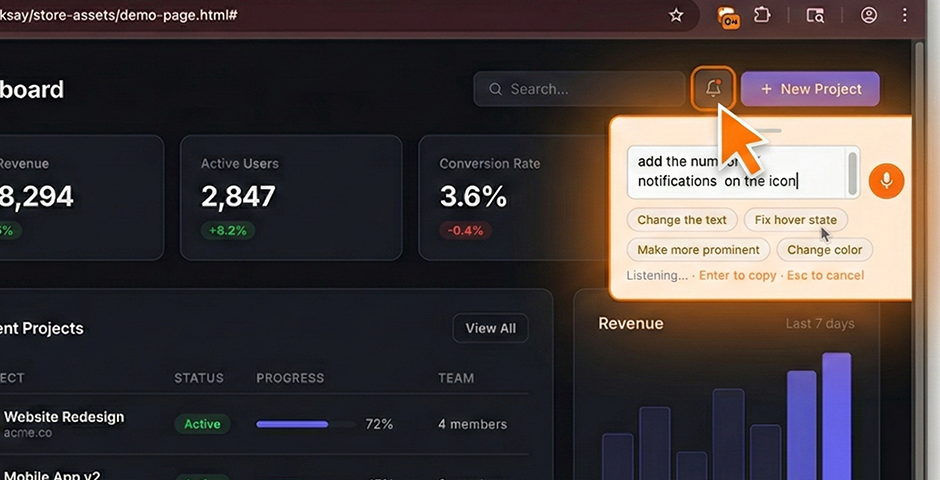
Press Cmd+Shift+K and click anything on the page. ClickSay captures the selector, styles, HTML, screenshot, and component name.

Speak Your Feedback

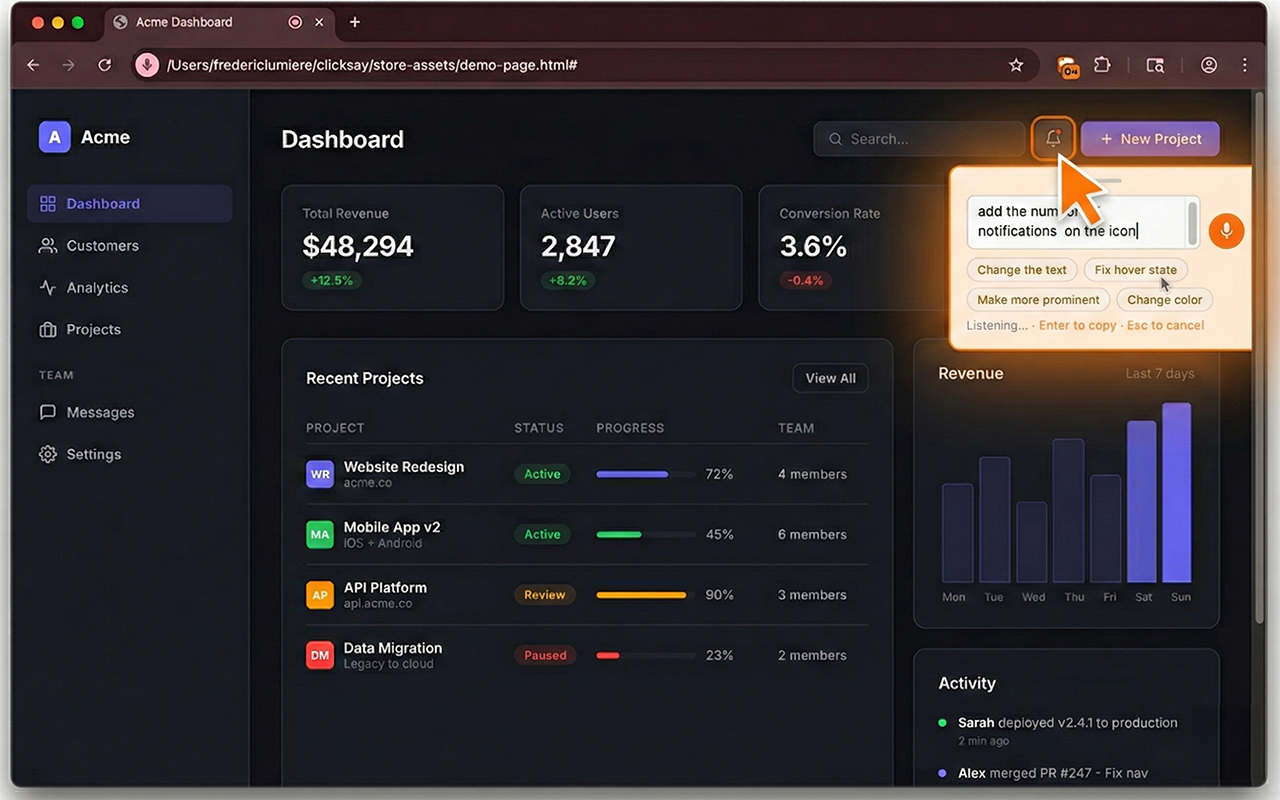
The mic starts automatically. Say "make this bigger" or "fix the padding." Just talk - like you'd explain it to a coworker.

AI Gets It Right

A structured prompt with full context lands on your clipboard. Paste into Claude Code, Codex, Cursor, Lovable, Replit, or Bolt.new. The AI knows exactly what you're talking about.
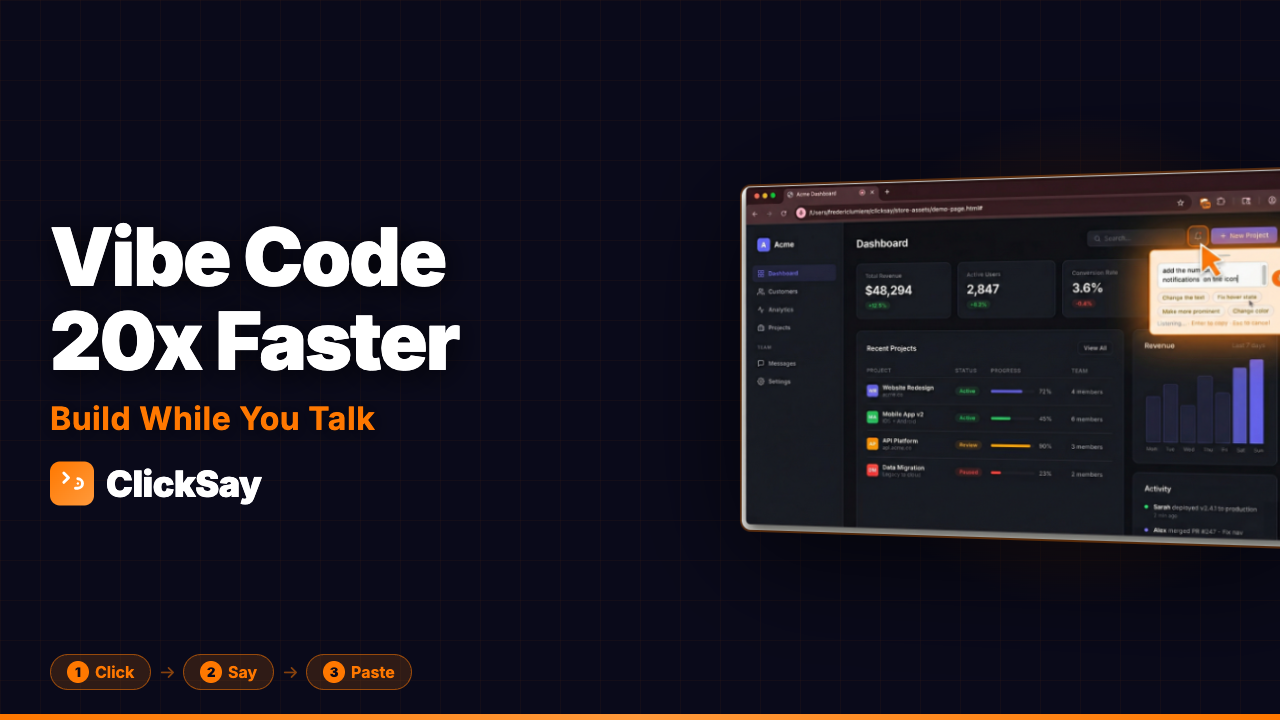
ClickSay tutorial video
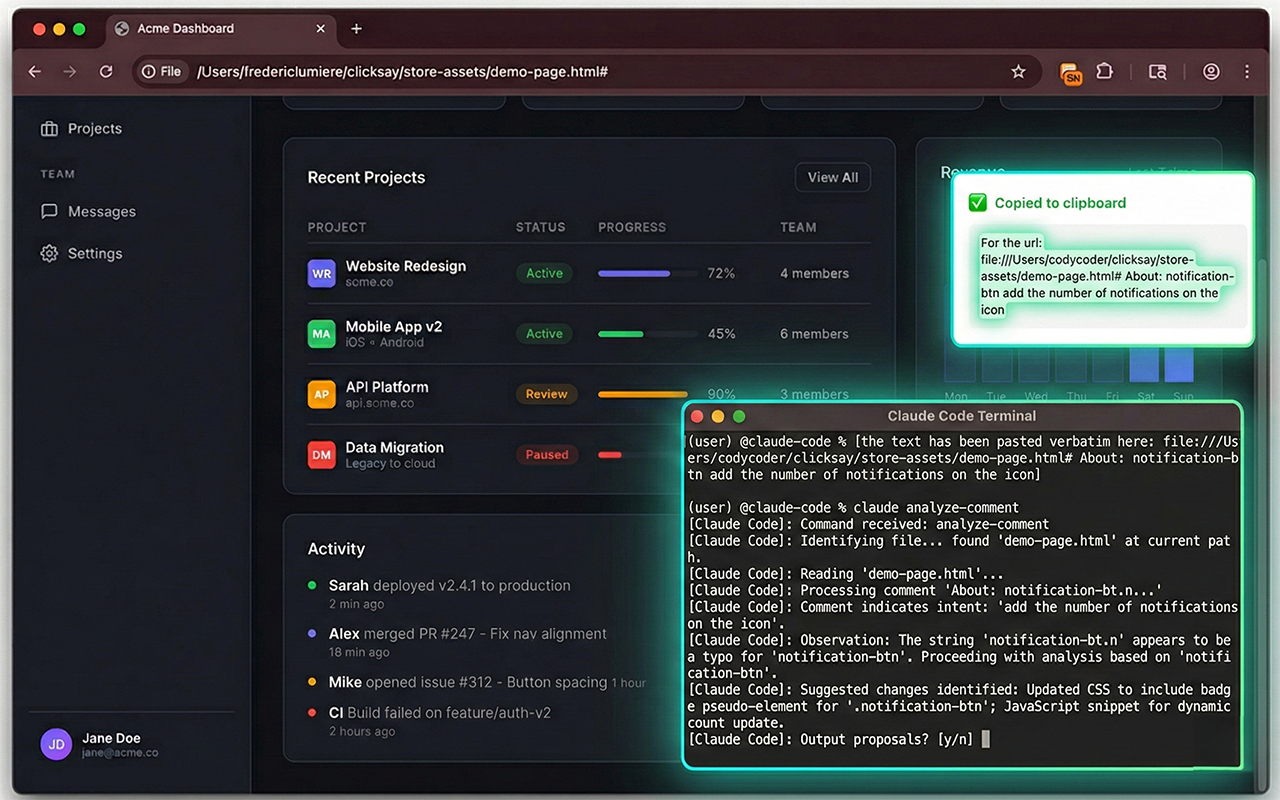
Step 1 - Click any element and say your fix with voice feedback popup Captures selector, styles, HTML, and screenshot
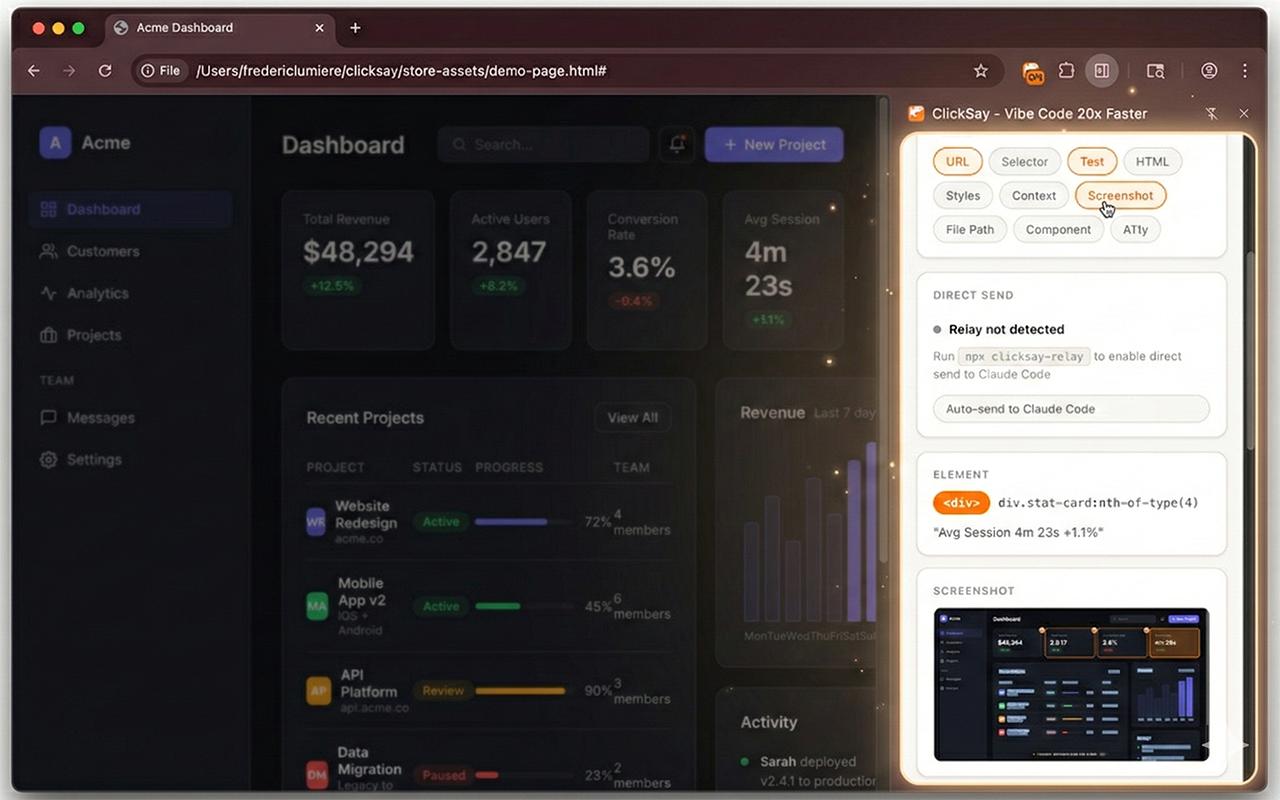
Step 2 - ClickSay side panel with element details, pills, and screenshot Full context organized in one place
Step 3 - Paste structured prompt into Claude Code terminal AI gets it right the first time

Give your AI the context it's been missing

ClickSay captures everything your AI needs to make the right change - automatically.

Voice-First Workflow

Speak naturally - the mic activates on click and captures your feedback in real time. No typing, no screenshots, no copying selectors.

Direct Send to AI

Optional local relay sends prompts straight to Claude Code in your terminal. Speak and the AI starts working - no paste needed.

Sweep Mode

Shift+click multiple elements, give one piece of feedback for all of them. "Fix the spacing on all these cards" - done.

Framework Detection

Auto-identifies React, Next.js, Vue, Svelte, and Angular components. Your AI gets the component name and file path in the prompt.

Configurable Output

Simple, Standard, Detailed, or Full - plus individual toggle pills. Control exactly what context your AI receives.

Accessibility Audit

Flags WCAG contrast, alt text, ARIA, and touch target issues on every element you click. Your AI can fix a11y problems too.

Add to Chrome - Free

From a quick note to a full technical brief

Control how much context your AI gets. Toggle pills to build your own mix.

Page: https://github.com/dashboard Element: <h1> "Dashboard Overview" Feedback: Make this heading smaller, dark blue, and change the font to Inter
Page: https://github.com/dashboard Selector: main > section > h1.page-title Element: <h1 class="page-title">Dashboard Overview</h1> Styles: font-size: 36px; font-weight: 700; color: #1a1a1a; font-family: system-ui Component: DashboardPage > PageHeader (React) File: src/components/Dashboard.tsx Screenshot: Dashboard Overview Feedback: Make this heading smaller, dark blue, and change the font to Inter
Page: https://github.com/dashboard Selector: main > section > h1.page-title XPath: /html/body/div/main/section/h1 Element: <h1 class="page-title">Dashboard Overview</h1> Context: <section class="dashboard-hero">...</section> (2 levels) Styles: font-size: 36px; font-weight: 700; color: #1a1a1a; font-family: system-ui; line-height: 1.2 Component: DashboardPage > PageHeader (React) File: src/components/Dashboard.tsx Screenshot: Dashboard Overview A11y: Heading hierarchy OK | Contrast 12.1:1 (passes AA) Feedback: Make this heading smaller, dark blue, and change the font to Inter

Nothing leaves your browser

ClickSay runs 100% locally. Your feedback, your screenshots, your data - all on your machine.

No Accounts

No sign-up, no login. Install and go.

No Analytics

Zero tracking. Zero telemetry. We don't know you exist.

Local Storage Only

Everything stored in Chrome on your device.

Fully Transparent

100% client-side. No servers, no secrets.

Start free. Upgrade when you're hooked.

Vibe code 20x faster. No credit card required.

Free

$0

Everything you need to try ClickSay

  • 5 captures / month
  • Voice feedback
  • Screenshots included
  • Simple + Standard output
  • Clipboard copy
  • 7-day feedback history
Get Started Free See all Pro features
Recommended

Pro

$7/month

Cancel anytime

  • Unlimited captures
  • Voice feedback
  • Screenshots included
  • All output presets + pills
  • Framework detection
  • Sweep mode
  • Accessibility audit
  • Unlimited feedback history
Go Pro - $7/month

Release Notes

See what we've shipped. Every update, every fix, every improvement.

v1.2.3 March 2026
  • New Screenshots paste as real images - Claude.ai, ChatGPT, Word, and Google Docs receive the image directly
  • New Download screenshot button - save captured screenshots as PNG files to your downloads folder
  • Improved History recopy now includes the screenshot image, not just text
  • Fix Feedback text no longer bleeds between captures
  • Improved Shortcut troubleshooting tip added to the welcome overlay
v1.2.2 March 2026 +
  • Improved Install tracking improvements and reliability fixes
v1.2.0 March 2026 +
  • New Speech language selector - switch between 20 languages directly from the feedback popup
  • New Auto-pause mic on typing - voice pauses instantly when you start typing, so they never collide
  • New "Copied!" toast - brief visual confirmation when your prompt is copied to clipboard
  • New Promo credit codes - redeem codes in Options for bonus captures
  • New Toolbar popup menu - click the icon for "Capture Element" and "Open Side Panel" buttons
  • New In-page upgrade overlay - see upgrade options right on the page when you hit the free limit
  • New Remote free capture limit - adjustable without republishing the extension
  • New Help button in side panel - quick access to troubleshooting in both header and footer
  • New Clear history confirmation - prevents accidental deletion of your capture history
  • New "Captured with ClickSay" branding - free-tier prompts include attribution footer for sharing
  • New License auto-activation - real-time confirmation on the website after purchase
  • Improved Silent activation fallback - opens side panel when shortcut can't reach the page
  • Improved Minified build - smaller, faster extension with esbuild
  • Improved Extension detection on website - CTA buttons update when ClickSay is installed
  • Fix Custom keyboard shortcuts now activate properly
  • Fix Feedback textarea stays contained - long transcriptions no longer push buttons off-screen
  • Fix Credit card correctly required for time-limited coupons
  • Fix Removed dead relay code for cleaner codebase
v1.1.0 March 2026 +
  • New Sweep Mode - hold Shift and click multiple elements, then speak feedback for all of them at once
  • New Type-or-speak popup - type your feedback directly in the popup instead of (or alongside) voice
  • New Pill-based output builder - toggle screenshot, component tree, accessibility audit, and file path sections on or off
  • New Smart framework detection - automatically identifies React, Vue, Angular, Svelte, and more for richer prompts
  • New Suggestion chips - quick-feedback buttons that adapt to the type of element you clicked
  • New Draggable popup - drag the feedback popup out of the way while you work
  • New Persistent history - browse and re-copy past feedback with built-in search
  • New Free and Pro tiers - generous free plan with optional Pro upgrade
v1.0.0 January 2026 +
  • New Initial release - click any element, speak your feedback, copy to clipboard
  • New Voice-first workflow with one-click copy to any AI tool
  • New Configurable output presets - Simple, Standard, Detailed, Full
  • New Accessibility audit - WCAG contrast, alt text, ARIA, and touch target checks

ClickSay is a Chrome desktop extension

Get notified when mobile is available.

Stop describing UI to your AI.
Start showing it.

Just ClickSay it!

Add to Chrome - Free

Contact Support

ClickSay